
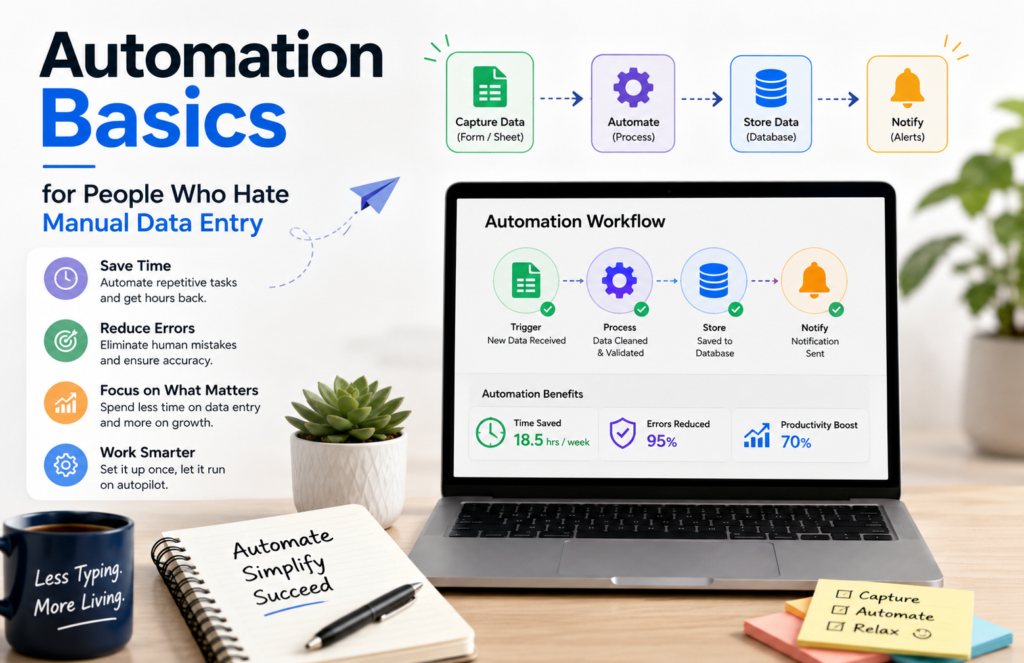
Somewhere in your workday, there’s a task that goes like this: copy a value from one app, paste it into another, maybe reformat it a little, then do it again for the next row.
Multiply that by every new lead, every invoice, and every form submission, and it adds up to hours of work that a computer could be doing instead.
This is the case for automating manual data entry — not the flashy, “AI will replace your job” kind of automation, but the boring, reliable kind that just moves information from where it’s created to where it needs to live.
Why manual data entry is worth automating first
If you’re new to automation and wondering where to start, data entry is usually the best first target for three reasons:
- It’s repetitive and rule-based. If you can describe the copy-paste task in one sentence (“when a new order comes in, add a row to my spreadsheet”), a machine can do it.
- It’s error-prone. Manual entry introduces typos, skipped rows, and inconsistent formatting — problems that don’t exist once a computer is doing the transcription.
- It’s low-risk to automate. Compared to automating a judgment call or a customer-facing decision, moving data from A to B rarely needs a human’s discretion.
The core building block: triggers and actions
Nearly every automation, no matter how complex, is built from the same two pieces:
- A trigger — the event that starts the automation (“a new row is added,” “a form is submitted,” “an email arrives with a certain subject”)
- An action — what happens as a result (“create a record”, “send a message”, “update a spreadsheet cell”)
Once you can name the trigger and the action for a task you’re doing by hand, you’ve basically already designed the automation. The tools just handle carrying it out.
Where automations actually run
You don’t need to write code to automate data entry. A few categories of tools handle this well:
No-code automation platforms (Zapier, Make, n8n) connect thousands of apps through a visual, trigger-and-action interface. You pick a trigger app and event, pick an action app and event, and map the fields between them. These are the best starting point for most people because you can build a working automation in minutes without any technical background.
Built-in app integrations. Many tools already talk to each other natively — a form builder that writes directly to a spreadsheet, or a CRM with a built-in email sync. Before reaching for a third-party automation platform, it’s worth checking whether the two apps you’re using already have a direct integration; it’s usually more reliable and has one less thing to maintain.
Scripts and APIs. For more complex logic, custom formatting, or high-volume tasks, a short script (or a platform’s built-in code step) can do things a purely visual builder can’t. You don’t need this for most data entry tasks, but it’s worth knowing it exists once your needs outgrow simple field mapping.
A simple framework for automating any data entry task
When you’re staring at a repetitive task and wondering if it can be automated, work through these questions:
- What starts the task? This is your trigger. Be specific — “a customer fills out my contact form,” not just “someone contacts me.”
- Where does the data need to end up, and in what shape? This is your action, plus any formatting or field mapping you’ll need.
- Does anything in between require a judgment call? If yes, that step probably still needs a human, at least for now. Automate everything around it, and let a person handle the part that actually needs thinking.
- What happens when something goes wrong? A missing field, a duplicate entry, an unexpected format. Decide upfront whether the automation should skip it, flag it, or stop and notify you — don’t just assume the happy path.
A common example, worked through
Say every time someone fills out a contact form on your website, you’re currently copying their name, email, and message into a spreadsheet by hand, then also adding them to your email list.
- Trigger: New form submission
- Action 1: Add a new row to the spreadsheet with the submitted fields
- Action 2: Add the submitter to your email marketing list
This is a two-action automation you could build on a no-code platform in well under ten minutes, and it eliminates a task you’d otherwise repeat for every single submission, indefinitely.
Common mistakes to avoid
Automating a broken process. If your current data entry steps are messy or inconsistent, automating them just makes the mess move faster. Clean up the process first, then automate it.
Skipping error handling. New automators often build for the ideal case and forget what happens when a field is blank or a duplicate comes through. Decide how the automation should handle exceptions before you turn it on, not after something breaks silently.
Over-automating too soon. Start with the single most repetitive, most rule-based task you do. Get comfortable with how triggers and actions work before you try to chain together a five-step automation across four different apps.
Forgetting to test with real data. Run your automation with a handful of real (or realistic) entries before trusting it with live data. Field mapping mistakes are common and easy to catch early, expensive to catch late.
Final thoughts
You don’t need to be technical to stop doing manual data entry — you need to be able to name what triggers the task and what should happen next. Start with the single most repetitive copy-paste task on your plate, build a simple trigger-and-action automation for it, and let that first win show you how much time is available to reclaim across the rest of your workflow.
